
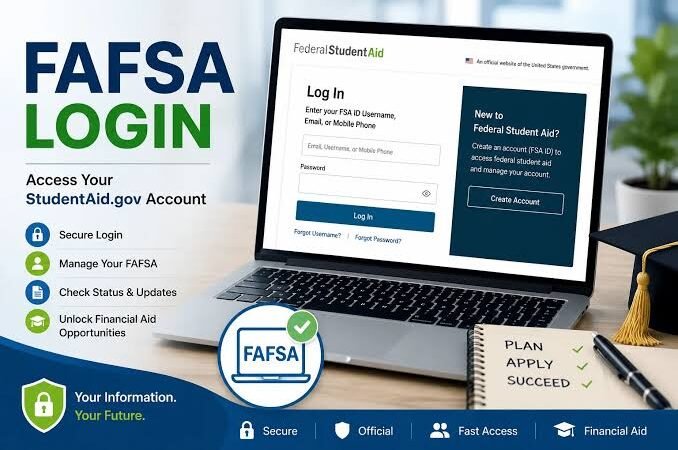
Getting ready for college can feel overwhelming, especially when financial aid forms, deadlines, and account details start piling up. Fortunately, the FAFSA login process gives students and their families a central place to access the Free Application for Federal Student Aid, manage application information, and track important updates.
Whether you’re applying for financial aid for the first time or returning to check an existing application, understanding how to sign in can save time and prevent unnecessary delays. The key is knowing which account to use, how to recover access if something goes wrong, and where to look for your application status.
What Is FAFSA Login and Why Does It Matter?
FAFSA stands for the Free Application for Federal Student Aid. It is the official application used to determine eligibility for federal student aid, including grants, federal student loans, and work-study opportunities. Many colleges and states also use FAFSA information when awarding their own financial assistance.
To access your application online, visit the official Federal Student Aid website at StudentAid.gov. Your StudentAid.gov account allows you to complete and submit the application, review available information, and manage certain details connected to your financial aid.
A common misunderstanding is that FAFSA and StudentAid.gov are two separate login systems. In practice, your StudentAid.gov account is what you use to access the online FAFSA application.
How to Complete the FAFSA Login Process
Official website: StudentAid.gov
Follow these steps to access your account securely.
-
Open the official website. Visit StudentAid.gov using your browser. Check the address carefully before entering any personal information.
-
Select the sign-in option. Look for the account login option on the website.
-
Enter your account credentials. Use the username or email address associated with your StudentAid.gov account and your password.
-
Complete additional security checks. If requested, follow the identity verification or multifactor authentication instructions.
-
Open your FAFSA information. Once signed in, navigate to the appropriate section to begin an application, review a submitted form, or check available updates.
If you are a new applicant, you may need to create a StudentAid.gov account before you can access the online application. Use your own account information and provide accurate details when completing the registration process.
What You Can Do After Signing In
The account offers more than a simple way to open a financial aid form. Depending on your role and application status, you can use it to manage several important tasks.
-
Start a new application: Begin the FAFSA form for the relevant academic year.
-
Continue a saved application: Return to an application that has not yet been submitted.
-
Check application status: Review available processing updates and determine whether further action is needed.
-
Review your information: Check the details associated with your application and correct errors when the system allows it.
-
Review financial aid information: Access eligible federal student aid records and related account services.
-
Manage account security: Update supported account settings and recovery information.
Remember that submitting a FAFSA does not automatically guarantee financial aid. Eligibility depends on applicable requirements, and schools may need additional information before finalizing an aid offer.
How to Recover a Forgotten FAFSA Username or Password
Forgetting login details is common, particularly when students only access their financial aid accounts once or twice a year. Fortunately, you usually do not need to create another account.
If you cannot remember your credentials, start with the official StudentAid.gov login page. Look for the available options to retrieve your username or reset your password, then follow the instructions provided.
Here are a few practical solutions for common problems:
-
Forgot your username: Use the username-retrieval option and follow the identity or contact verification steps.
-
Forgot your password: Choose the password-reset option and complete the required verification.
-
Changed your email address or phone number: Follow the official account recovery process if you can no longer access your previous contact details.
-
Account locked: Follow the instructions for unlocking or recovering your account rather than repeatedly attempting to sign in.
-
Verification code not received: Check your contact details, spam folder where applicable, and whether you selected the correct verification method.
Federal Student Aid provides dedicated guidance for these situations in its StudentAid.gov account troubleshooting guide.
Important: Do not create a second account simply because you cannot access your original one. Each person should maintain their own StudentAid.gov account, and account recovery is the appropriate route when login details are lost.
How to Check Your FAFSA Application Status
Signing in successfully is only the first step. If you have already submitted your form, checking its status helps you understand whether it has been received, processed, or requires further action.
After logging in, open your account Dashboard and locate the FAFSA application under the “My Activity” section. Select the relevant form to review its details.
The following table explains common status messages you may encounter.
| FAFSA status | What it generally means | What to do next |
|---|---|---|
| Draft | You started the form but have not completed the required sections. | Continue filling it out. |
| In Progress | Required sections may be complete, but the form has not been submitted. | Review and submit it. |
| Action Required | A correction, signature, consent, or another step is needed. | Open the form and resolve the listed issue. |
| In Review | Your submitted application is awaiting processing. | Check again for updates. |
| Processed | The application has been processed successfully without errors. | Review your FAFSA Submission Summary and follow up with your school if needed. |
| Closed | The application was started but was not submitted before the applicable deadline. | Check whether another submission route or deadline remains available. |
These descriptions reflect the federal Student Aid guidance; the exact next step depends on the details displayed in your account.
A processed application does not mean that a college has already approved your financial aid package. Review your FAFSA Submission Summary, respond to any additional requests, and check directly with your school’s financial aid office for award decisions.
Which FAFSA Login Option Should You Use?
Students, parents, and other contributors may all need to access the same application process, but they should not use one another’s credentials.
Choose the route that matches your situation.
| Your situation | Recommended option |
|---|---|
| You are a student applying for aid. | Sign in to your own StudentAid.gov account. |
| You are a parent completing a required section. | Use your own account and the parent role where applicable. |
| You are a returning applicant. | Sign in to your existing account and select the relevant academic year. |
| You cannot access your account. | Use the official recovery process. |
| You need to start an application. | Visit FAFSA.gov and select “Start New Form.” |
Every contributor who needs to access and complete their section must have their own account. Sharing credentials can create security problems and interfere with proper account access.
FAFSA Login Tips to Avoid Common Problems
A few simple habits can make the process easier throughout the academic year.
Use the correct academic year. The FAFSA form you need depends on when you plan to attend school. For example, the 2026–27 form covers attendance from July 1, 2026, through June 30, 2027, while the 2027–28 form covers the following academic year. The 2027–28 application became available on October 1, 2026.
Keep your information accurate. Make sure the personal information connected to your account is correct. If your identity cannot be verified, follow the instructions provided by Federal Student Aid.
Save your recovery options. Keep your recovery email and phone number current, and store any backup verification codes securely.
Protect your account. Use a strong, unique password and never share your login credentials with a third party claiming to guarantee financial aid.
From a practical standpoint, I would always check the application status immediately after signing in rather than assuming that a successful login means the FAFSA has been submitted.
A Practical Example: A Student Preparing for College
Imagine a student who completes most of a FAFSA application but leaves before submitting it. A few weeks later, the student returns to check whether the college has received the information.
After signing in, the student finds that the form is still marked “In Progress.” Instead of waiting for an aid offer, the student opens the application, completes the remaining steps, and submits the form. The student then checks the Dashboard again to monitor processing.
This illustrates why checking the application status is just as important as remembering your login credentials.
Also Read: FAFSA Guide: Eligibility, Deadlines & Financial Aid Tips
Conclusion
The FAFSA login process is your gateway to managing federal student aid, completing applications, and reviewing financial aid updates. By using your existing StudentAid.gov account, selecting the correct academic year, and checking your application status regularly, you can avoid many common mistakes.
If you encounter login difficulties, use the official account recovery tools instead of creating another account. Most importantly, remember that submitting the form, receiving a processed status, and getting a financial aid offer are separate steps. Staying organized throughout the process helps you move toward your college funding goals with greater confidence.
FAQs
1. Where can I find the official FAFSA login page?
Visit StudentAid.gov or FAFSA.gov. Both provide access to the official federal student aid application process.
2. Can I log in to FAFSA without creating an account?
You need a StudentAid.gov account to complete and submit the online FAFSA form. If you do not have one, create an account through the official website before proceeding.
3. What should I do if my FAFSA login is not working?
Check your username and password, verify your internet connection, and try the official password recovery or account recovery process. If the problem continues, contact Federal Student Aid for assistance.
4. Can parents use their child’s FAFSA login?
No. Parents and other contributors who need to complete their own sections must use their own StudentAid.gov accounts. They should not share login credentials with the student.
5. How do I know whether my FAFSA was submitted?
Sign in to StudentAid.gov, open your Dashboard, and look under “My Activity.” Select your application to review its status and determine whether further action is required.
6. Is FAFSA login free?
Yes. Creating a StudentAid.gov account and submitting the FAFSA application are free. Be cautious of websites that charge unnecessary fees or promise guaranteed financial aid.