When employees search for Time Warp TaskUs, they are usually looking for information about an internal workplace system, how to access it, or what role it plays in daily operations. New employees may encounter the name during onboarding, while existing team members may need help understanding the login process or resolving access problems.
TaskUs operates in the business process outsourcing (BPO) and digital services industry, where employees support different clients, projects, and business operations. Managing a workforce across multiple locations requires organized internal systems and secure digital access.
Time Warp is associated with TaskUs as an authenticated workplace application. Public information connects it with employee time and scheduling processes, although its complete functionality is not officially documented in detail. Understanding this distinction helps employees find reliable information without relying on misleading online claims.
What Is Time Warp TaskUs?
Time Warp TaskUs refers to an internal web application associated with TaskUs. It is designed for authorized workplace users rather than general consumers.
The platform is commonly associated with employee time records, scheduling, and workforce-related activities. It operates within the company’s broader digital environment, where employees use approved systems to manage their responsibilities.
Unlike publicly available productivity applications, Time Warp does not offer an ordinary registration process for anyone interested in trying it.
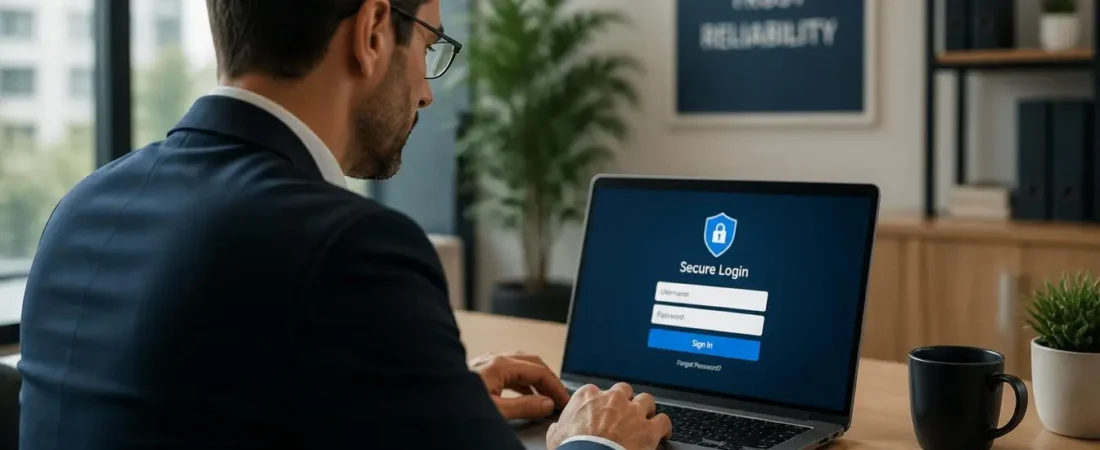
Its publicly accessible login page provides a PingID authentication option and directs users toward an internal support process for technical concerns.
This makes it particularly relevant to:
-
Current TaskUs employees.
-
Newly hired team members.
-
Supervisors and authorized workplace personnel.
-
Employees who need assistance with account access.
-
People researching TaskUs workplace technology.
One important detail is that the exact features available after login may depend on internal permissions and company procedures. Employees should follow their official training instructions instead of assuming every online feature description is accurate.
How Does the Time Warp TaskUs Portal Work?
The general purpose of an internal workplace portal is to give authorized employees access to relevant digital resources through a controlled environment.
Time Warp is associated with employee time and scheduling processes. These activities are important in organizations where teams operate across different shifts and client projects.
A typical workplace system may support several operational areas:
Employee time records: Digital timekeeping helps organizations maintain organized records of working hours and related activities.
Schedule management: Workforce scheduling helps employees understand their assigned shifts and working arrangements.
Workforce coordination: Internal systems can help teams coordinate operational responsibilities and maintain consistent procedures.
Account authentication: Secure sign-in helps prevent unauthorized individuals from accessing company resources.
However, these are general workforce-management functions. The complete set of Time Warp features should be confirmed through official TaskUs documentation.
Time Warp TaskUs Login: How to Access Your Account
Employees who need to access the portal should begin with the login instructions provided by their manager, onboarding team, or IT department.
The publicly identified portal is:
Follow these general steps:
-
Open the company-provided Time Warp login address.
-
Check that the website belongs to the official TaskUs domain.
-
Select the available PingID authentication option.
-
Follow the identity verification instructions.
-
Complete the authentication process using your registered device.
-
Access the resources available to your authorized account.
Your exact login experience may differ depending on your location, account permissions, and internal company instructions.
If you are a new employee and cannot access the portal, contact your onboarding representative before attempting repeated login requests.
Why Does Time Warp Use PingID Authentication?
Security is an important consideration for organizations that manage employee information and internal business resources.
PingID is an authentication solution associated with Ping Identity. It supports identity verification through additional authentication steps.
Rather than depending entirely on a password, multi-factor authentication adds another layer of protection.
This approach can help:
-
Reduce unauthorized account access.
-
Protect employee credentials.
-
Verify the identity of users.
-
Strengthen workplace information security.
-
Protect internal business applications.
Employees should keep their registered authentication devices secure and never share verification codes with other people.
If you replace your phone or lose access to your registered device, contact the appropriate IT department for assistance.
Main Benefits of an Internal Workforce Portal
A well-organized employee portal can make everyday workplace responsibilities easier to manage. For a large outsourcing organization, centralized digital access can also reduce confusion between different operational processes.
Some potential benefits of workforce-management systems include:
1. Better organization
Digital systems help keep workplace information organized instead of depending entirely on manual records and scattered communication.
2. Improved time visibility
Accurate time-related records can help employees and authorized managers understand working schedules and attendance information.
3. Easier workplace coordination
Employees working on different projects need clear instructions and accessible internal resources. Centralized systems can support more consistent coordination.
4. Stronger access security
Authentication procedures help ensure that internal resources remain available to approved users.
5. More consistent processes
Digital workplace tools can support standardized procedures across teams and locations.
These benefits describe the broader value of workplace technology, not a verified list of every function available inside Time Warp.
Common Time Warp TaskUs Login Problems and Solutions
Like other workplace applications, an authenticated portal may occasionally create access difficulties. Understanding the possible causes can help employees choose the right solution.
Here are some common situations and practical ways to address them.
| Common problem | Possible solution |
|---|---|
| Incorrect password | Follow the official password-reset procedure |
| PingID verification failure | Check your registered device and authentication settings |
| Portal not loading | Check your internet connection and browser |
| Account access denied | Contact your manager or IT department |
| Technical error | Submit a support request through the approved channel |
| New employee access issue | Confirm that account provisioning is complete |
1. Incorrect Login Credentials
A typing mistake, outdated password, or incorrect username can prevent successful authentication. Check your credentials carefully and use the company’s approved password-reset process if necessary.
2. PingID Verification Issues
Sometimes employees cannot complete authentication because their registered device is unavailable or notifications are not working.
Check your device settings and internet connection. If the issue continues, request assistance from internal IT support.
3. Browser Compatibility Problems
An outdated browser, disabled JavaScript, or temporary browser issue may affect how a web application loads.
Try updating your browser, enabling JavaScript, or opening the company-provided portal in another supported browser.
4. Account Permission Problems
Not every employee necessarily has the same access permissions. If your account does not display an expected resource, ask your supervisor whether the necessary access has been assigned.
The publicly available portal also directs users toward the company’s SNOW support process for Time Warp concerns.
Blog Zone+1
Time Warp TaskUs vs. General Time-Tracking Software
It is useful to understand the difference between an internal employee application and publicly available time-management products.
Although these tools may address similar workplace needs, their access models and intended audiences can be different.
| Comparison | Time Warp TaskUs | Public time-tracking software |
|---|---|---|
| Intended users | Authorized TaskUs personnel | General users and businesses |
| Registration | Company-controlled access | Usually public registration |
| Authentication | Company-supported login | Provider-managed accounts |
| Main purpose | Internal workplace processes | General time management |
| Availability | Restricted access | Publicly available |
| Support | Internal company channels | Software provider support |
For example, Toggl Track and Clockify are publicly available time-tracking products. Time Warp, by contrast, is associated with TaskUs’s internal environment.
The distinction matters because someone searching for a public time-tracking application should not expect to create an account on the TaskUs portal.
A Practical Workplace Scenario
Imagine a newly hired customer support representative who has just completed onboarding at TaskUs. Their manager explains that certain workplace resources require authenticated access.
On the first working day, the employee opens the provided Time Warp address but cannot complete the verification process because their registered phone is unavailable.
Instead of repeatedly entering passwords or searching for unofficial login websites, the employee contacts the internal IT team. The support representative helps resolve the authentication issue and confirms the correct access procedure.
This simple situation demonstrates why knowing the official login route and support process is more useful than relying on random online instructions.
What Makes Time Warp TaskUs Important?
The most important aspect of Time Warp is not simply its name or login page. It is the role that secure internal technology plays in organizing modern workplace operations.
TaskUs supports businesses through customer experience, digital services, and other technology-enabled operations. Such environments require employees to access the right resources while following established security procedures.
In my experience explaining workplace technology, the most useful guidance is often the simplest: understand who the system is intended for, use the correct access route, and know where to get help when something goes wrong.
There is also an important distinction between a platform’s confirmed capabilities and assumptions repeated across unrelated websites. Since Time Warp’s complete functionality is not publicly documented, employees should treat their internal TaskUs instructions as the most reliable source.
This approach saves time, reduces confusion, and helps prevent security mistakes.
FAQs
1. What is Time Warp TaskUs used for?
Time Warp is an internal TaskUs web application associated with employee time and scheduling processes. Its complete feature set is not publicly documented.
2. How can I access Time Warp TaskUs?
Use the login address provided through official TaskUs channels. The publicly identified portal is https://sg.timewarp.taskus.com/ and offers PingID authentication.
3. Is Time Warp TaskUs available to everyone?
No. It is an authenticated workplace application intended for authorized TaskUs users rather than a public productivity platform.
4. What is PingID in Time Warp TaskUs?
PingID is an identity verification solution that supports secure authentication. It provides an additional verification step when users access protected workplace resources.
5. What should I do if Time Warp is not working?
Check your internet connection, browser settings, and authentication device. If the issue remains unresolved, contact your manager or internal IT support through the approved SNOW process.
6. Can I access Time Warp TaskUs on my mobile phone?
Mobile access depends on the company’s supported configuration and security requirements. Check with TaskUs IT before using a mobile device.
7. Is Time Warp the same as Clockify or Toggl?
No. Clockify and Toggl are public time-tracking products, whereas Time Warp is associated with TaskUs’s internal workplace environment.
8. Can former TaskUs employees use Time Warp?
Access depends on company account policies and authorization status. Former employees should contact TaskUs HR or IT for clarification.
Also Read: TechTales Pro-Reed.com: Technology, Stories & Insights
Conclusion
Time Warp TaskUs is an internal workplace application associated with TaskUs and its employee-related time and scheduling processes. It is not a general-purpose application that anyone can register for or purchase.
For employees, understanding the correct login route, PingID authentication, account permissions, and official support procedures can make accessing workplace resources easier.
The most reliable approach is to follow company-provided instructions and avoid unofficial websites claiming to offer alternative access. Although many online articles describe additional capabilities, the complete functionality of the system is not publicly confirmed.
Whether you are a new employee, an existing team member, or someone researching TaskUs workplace technology, focusing on verified information will help you understand the platform more accurately.