
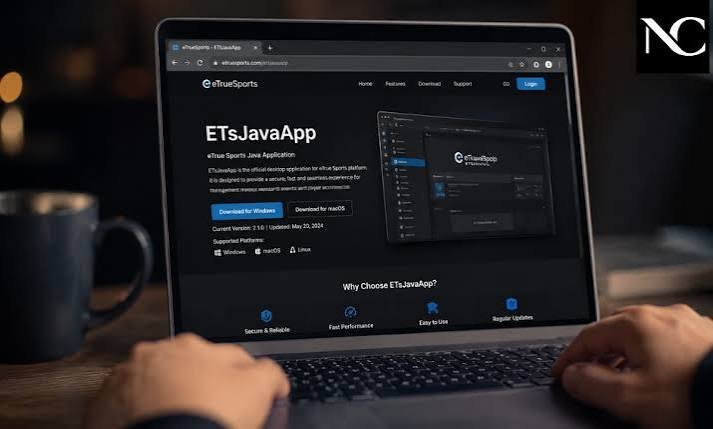
If you have searched for how to update ETSJavaApp by eTrueSports, you may have noticed something confusing: different websites describe the supposed app in completely different ways. Some call it a Java-based gaming tool, others describe it as a sports analytics application, and several pages provide step-by-step instructions for downloading or updating it.
There is an important detail to understand before you click an update button, download an APK, or install a Java package: eTrueSports says that “etsjavaapp” is not an official eTrueSports product. Its published information states that there is no official product by that name and that there is currently no legitimate version, release date, or update for it.
That changes the safest answer considerably. Instead of trying to force an update onto a questionable installation, you should first establish whether the software on your device is genuine.
Is ETSJavaApp an Official eTrueSports App?
According to eTrueSports’ own website, no. The company specifically addresses searches for “etsjavaapp” and says it does not have an eTrueSports product with that name. It also warns that websites have published inconsistent descriptions of the supposed application without verifiable official download information.
This matters because search results alone are not proof that software is legitimate. A page can contain detailed instructions, screenshots, version numbers, and even claims about security patches without actually being affiliated with the developer.
For that reason, there is no verified official procedure for updating an “ETSJavaApp” installation.
Why Are There So Many Update Guides?
The confusion appears to come from third-party websites publishing similar articles around the same keyword. For example, some pages claim that the software supports automatic updates, while others recommend downloading a new installer manually.
The problem is that these claims conflict with the information published by eTrueSports itself.
That means copying instructions such as Settings → Updates → Download and Install is not a reliable way to update a product whose official existence has not been confirmed.
What Should You Do Instead?
If you already have something labeled “ETSJavaApp” on your computer or phone, don’t immediately update it. Start by identifying where it came from.
Check the following:
-
Look at the original download source.
If you downloaded it from a random APK, file-sharing, or software-download website, treat it cautiously. -
Check the developer or publisher name.
An application claiming to belong to eTrueSports should have a verifiable connection to the company. -
Don’t install an “update” from an unfamiliar website.
A page asking you to download a replacement APK, executable, JAR file, or ZIP archive deserves particular scrutiny. -
Don’t disable security protections to make an installer work.
If an unknown application tells you to bypass normal device protections, that’s a strong reason to stop. -
Use the official eTrueSports website for genuine announcements.
eTrueSports says legitimate future app announcements would be made through its own website.
A Simple Comparison: Real Update vs. Questionable “ETSJavaApp” Update
| Check | Legitimate software update | Unverified ETSJavaApp update |
|---|---|---|
| Developer | Clearly identified | May be unclear |
| Update source | Official developer channel | Random third-party website |
| Version information | Verifiable | Often inconsistent |
| Security | Normal installation process | May request unusual permissions |
| Developer confirmation | Available | Not confirmed by eTrueSports |
| Recommended action | Follow official instructions | Do not install until verified |
This distinction is more useful than simply looking for the newest file. The newest file is not automatically the safest file.
What If ETSJavaApp Is Already Installed?
Suppose you downloaded a program called ETSJavaApp several months ago. Now you see a message saying, “New version available,” and a website offers a newer package.
Don’t assume the notification is legitimate.
First, identify the program and its source. Check the file’s publisher information, installation directory, permissions, and original download location. If anything seems suspicious, avoid running the proposed updater.
A real-world scenario makes this clearer: imagine a player receives an “ETSJavaApp 3.0” update notification before a tournament. The message promises faster performance and new features, but the download comes from a domain unrelated to eTrueSports. Installing it simply because the wording looks professional could expose the computer to unnecessary risk.
In my experience reviewing software-update guidance, the biggest mistake is usually not missing a feature—it’s trusting an update source before verifying the developer behind it.
What About Android APKs?
This is particularly important for Android users.
eTrueSports states that it does not currently have an official Android app and warns users about APKs claiming to be the company’s application. It specifically advises users to avoid installing supposed eTrueSports apps from unofficial sources.
So if you find an APK advertised as an “ETSJavaApp update,” don’t treat it as an official update simply because:
-
The filename contains “eTrueSports.”
-
The website uses the company’s name.
-
The page has screenshots.
-
The APK promises a newer version.
-
The download button looks professional.
Those details can be copied. The important question is whether the developer has actually published and verified the application.
How to Stay Updated With eTrueSports Safely
The safest approach is surprisingly simple: follow the company’s own communication channels rather than third-party download pages.
If eTrueSports releases an official mobile application or another software product in the future, look for the announcement directly from the company. Then use the official distribution method it specifies.
For Android, that could mean an official Google Play listing if one is eventually released. For desktop software, it could mean an official download page. Until such a product is announced, there is no reason to install a supposed “ETSJavaApp update.”
This approach also solves another common problem: outdated search results. A third-party article can remain online long after its information becomes incorrect. The developer’s current announcement is the more useful reference when determining whether a product actually exists.
What If an Existing Installation Stops Working?
If you already installed software identified as ETSJavaApp and it suddenly stops working, don’t automatically search for a replacement installer.
Instead:
-
Stop downloading additional versions from unrelated websites.
-
Run a security scan on your device.
-
Review the application’s permissions.
-
Remove the program if you cannot establish its legitimacy.
-
Check your important accounts for unusual activity if you entered credentials into the software.
-
Use eTrueSports’ official website to verify whether the product has been announced.
If the program contains important personal data, back up legitimate files before removing anything. However, don’t preserve or execute suspicious installers simply because you are worried about losing an application.
Also Read: MyQ Quinnipiac: Login Guide, Portal & Student Access
The Key Takeaway
The most important part of learning how to update ETSJavaApp by eTrueSports is understanding that there is currently no verified eTrueSports product by that name to update.
Many third-party articles provide detailed instructions, but their claims should not override information published by the company itself. eTrueSports explicitly says that “etsjavaapp” is not its product and warns users about unofficial apps claiming to represent the brand.
So, rather than hunting for a newer APK, JAR, installer, or “latest version,” verify the source first. It takes less time than recovering from a potentially unsafe installation—and it prevents you from turning a simple software question into a security problem.
FAQs
Is ETSJavaApp an official eTrueSports application?
No. eTrueSports states that it does not have a product called “etsjavaapp.” The company also says there is no official version, release date, or legitimate update for such a product.
How do I update ETSJavaApp?
There is currently no verified update process because eTrueSports says “etsjavaapp” is not an official product. Avoid downloading purported updates from third-party websites unless the developer officially confirms the software.
Is an ETSJavaApp APK safe to install?
You should not assume that an APK using the eTrueSports name is genuine. eTrueSports specifically warns about unofficial Android applications claiming to represent the company.
Why do websites say ETSJavaApp can be updated?
Several third-party websites have published guides describing the supposed application, including automatic and manual update instructions. However, these descriptions conflict with eTrueSports’ own statement that the product does not exist.
Where should I check for a genuine eTrueSports app?
Check eTrueSports’ official website and announcements. The company says that if it launches an official application in the future, it will announce it through its own website.
Should I download an ETSJavaApp update from another website?
No. Until eTrueSports confirms the product and provides an official distribution channel, downloading an alleged update from an unrelated website is an unnecessary risk.