
Seeing an unfamiliar IP address in a website log, firewall alert, email header, or network-monitoring report can be unsettling. A sequence such as 183.63.127.22 may look highly specific, but an IP address by itself tells you much less than many people assume.
At its simplest, this is a public IPv4 address written in dotted-decimal format. Current IP intelligence data places the address within the 183.63.127.0/24 network, which is associated with AS4134, CHINANET-BACKBONE. {“fallbackMarkdown”:”(IPinfo)”,”reference”:{“matched_text”:””,”prefix”:null,”start_idx”:860,”end_idx”:879,”safe_urls”:[“https://ipinfo.io/ips/183.63.127.0/24″,”https://ipinfo.io/ips/183.63.127.0/24?utm_source=chatgpt.com”],”refs”:[],”alt”:”(IPinfo)”,”prompt_text”:null,”type”:”grouped_webpages”,”items”:[{“title”:”183.63.127.0/24 IP Range | IPinfo.io”,”url”:”https://ipinfo.io/ips/183.63.127.0/24?utm_source=chatgpt.com”,”attribution”:”IPinfo”,”pub_date”:1780531200,”snippet”:””,”attribution_segments”:null,”supporting_websites”:[],”refs”:[{“turn_index”:1,”ref_type”:”search”,”ref_index”:0}],”hue”:null,”attributions”:null}],”error”:null,”fallback_items”:null,”style”:null,”status”:”done”},”showLoginRequiredCard”:false} That information can help establish the network context, but it does not identify a particular person, household, or exact physical location.
Understanding that distinction is important if you’re investigating traffic or trying to decide whether an unfamiliar connection deserves attention.
What Is 183.63.127.22?
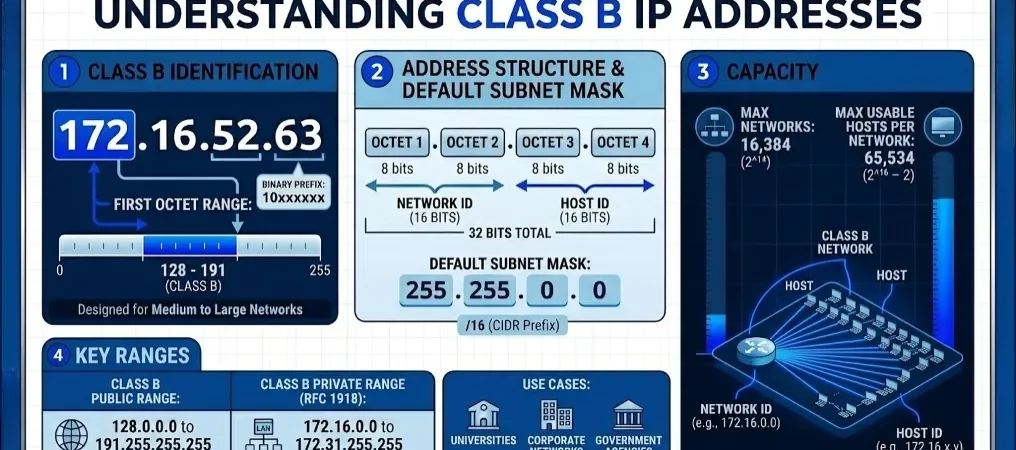
183.63.127.22 is an IPv4 address. IPv4 addresses contain four numerical sections, called octets, separated by periods. Each octet can range from 0 through 255.
Unlike private addresses such as 192.168.x.x, this address belongs to the public IPv4 address space. In practical terms, it can appear as a source or destination address when systems communicate across the public internet.
IP addresses have several everyday uses:
-
Identifying a network endpoint during communication
-
Routing data packets toward their destination
-
Recording connection sources in server logs
-
Helping network administrators investigate unusual traffic
-
Providing approximate geographic and network information
A useful way to think about an IP is as a network-level identifier rather than a person’s digital identity.
That difference prevents a common mistake: assuming that an address found in a log automatically reveals who was behind the connection.
What Network Is It Associated With?
The address sits inside the 183.63.127.0/24 range. IPinfo currently lists that range under AS4134 CHINANET-BACKBONE and shows the broader BGP allocation as 183.0.0.0/10. {“fallbackMarkdown”:”(IPinfo)”,”reference”:{“matched_text”:””,”prefix”:null,”start_idx”:2372,”end_idx”:2391,”safe_urls”:[“https://ipinfo.io/ips/183.63.127.0/24″,”https://ipinfo.io/ips/183.63.127.0/24?utm_source=chatgpt.com”],”refs”:[],”alt”:”(IPinfo)”,”prompt_text”:null,”type”:”grouped_webpages”,”items”:[{“title”:”183.63.127.0/24 IP Range | IPinfo.io”,”url”:”https://ipinfo.io/ips/183.63.127.0/24?utm_source=chatgpt.com”,”attribution”:”IPinfo”,”pub_date”:1780531200,”snippet”:””,”attribution_segments”:null,”supporting_websites”:[],”refs”:[{“turn_index”:1,”ref_type”:”search”,”ref_index”:0}],”hue”:null,”attributions”:null}],”error”:null,”fallback_items”:null,”style”:null,”status”:”done”},”showLoginRequiredCard”:false}
This tells us something useful about the network infrastructure associated with the address. It does not, however, prove that a particular company, server, or individual permanently controls the exact address.
IP allocations and routing arrangements can change. Addresses may also be used differently over time, so an investigation should rely on current registry, routing, DNS, and security data rather than an old lookup result.
Does the Address Reveal an Exact Location?
Not reliably.
IP geolocation databases can associate an address with a country, region, or city, but these results are estimates. They should not be treated like GPS coordinates.
For example, a network provider can operate infrastructure far from the physical location of an end user. Mobile networks, corporate gateways, VPNs, proxies, cloud services, and other network configurations can further complicate geolocation.
So if a lookup reports that this address is associated with China, that is best understood as network/geographic attribution, not proof that a specific person was physically located there at the time of a connection.
This is one of the most important distinctions when interpreting IP intelligence.
Public IP vs. Private IP: What’s the Difference?
| Feature | Public IP | Private IP |
|---|---|---|
| Internet visibility | Potentially visible on the public internet | Normally limited to a local network |
| Typical examples | 183.63.127.22 | 192.168.1.10 |
| Main purpose | Internet communication and routing | Communication inside local networks |
| Can identify a person directly? | No | No |
| Commonly seen in web logs? | Yes | Usually no |
The comparison makes one point especially clear: an IP address is not the same thing as an identity.
Why Might You See This Address in a Log?
There are several ordinary reasons.
Suppose you operate a website and notice this address among hundreds of connection records. It could represent a visitor, an automated request, a network device, a proxy, or another form of internet traffic. The address alone doesn’t tell you which explanation is correct.
A real-world scenario might look like this: a site administrator notices repeated requests from the same address within a short period. Instead of immediately blocking it, they examine the requested URLs, timestamps, HTTP status codes, request frequency, user-agent strings, and authentication events. That broader evidence can reveal whether the activity resembles normal browsing, automated crawling, a misconfigured application, or potentially unwanted traffic.
I’ve found that looking at the surrounding log entries is far more useful than judging an unfamiliar IP from the number alone.
Is 183.63.127.22 Safe?
There is no reliable basis for declaring an IP address inherently “safe” or “malicious” simply because of its numerical identity.
An address can be associated with ordinary users, legitimate infrastructure, automated services, or unwanted activity at different times. Even if a security database flags an address, that information needs context.
If you encountered this address unexpectedly, look for patterns such as:
-
Repeated failed login attempts
-
Large numbers of requests in a short period
-
Requests for unusual or nonexistent URLs
-
Attempts to access administrative endpoints
-
Unexpected SMTP, SSH, or other service connections
-
Traffic that conflicts with the normal behavior of your application
One isolated request is generally less informative than a consistent pattern.
How to Investigate the Address Properly
Start with several independent sources rather than relying on a single IP lookup website.
1. Check registration and network data
Look at the relevant Regional Internet Registry or an established IP intelligence service. This can help identify the allocated network and autonomous system.
2. Examine reverse DNS
A reverse-DNS lookup can sometimes provide a hostname associated with an address. However, an empty result is not unusual and does not automatically indicate suspicious activity.
3. Review your server logs
This is often where the most valuable evidence exists. Check:
-
Date and time
-
Requested resource
-
HTTP method
-
Response code
-
Request frequency
-
User agent
-
Authentication activity
-
Related addresses
4. Compare against security intelligence
If an address appears repeatedly in suspicious activity, consult reputable threat-intelligence databases. Treat reputation scores as evidence to investigate, not as definitive proof of wrongdoing.
5. Consider your network architecture
CDNs, reverse proxies, load balancers, VPNs, NAT gateways, and cloud infrastructure can affect which address appears in your logs. Before taking action, make sure you’re interpreting the correct network layer.
Should You Block It?
Not automatically.
Blocking an unfamiliar address can sometimes stop unwanted traffic, but it can also create false positives. If the address belongs to a shared network, blocking it could affect legitimate visitors or services.
A better approach is to identify the behavior first. If repeated activity clearly violates your security policy, use the least disruptive control appropriate to the situation—such as rate limiting, authentication protections, firewall rules, or application-level filtering.
For website owners, behavioral evidence is usually more actionable than geographic assumptions.
What This IP Can—and Can’t—Tell You
An IP lookup can potentially provide information about:
-
The address itself
-
Its network range
-
Autonomous system information
-
Approximate geographic attribution
-
Reverse-DNS information, when available
-
Routing and connectivity context
It generally cannot, by itself, establish:
-
A person’s name
-
A precise street address
-
A person’s identity
-
Their exact physical location
-
Their intentions
-
Whether they personally performed a particular action
That limitation is crucial. Good network investigation combines IP intelligence with timestamps, application logs, authentication records, and other technical evidence.
Also Read: UK Proxies: Guide to Reliable British IP Addresses
Final Thoughts
183.63.127.22 is best understood as a public IPv4 address associated with a network range currently identified by IPinfo as part of AS4134 CHINANET-BACKBONE. {“fallbackMarkdown”:”(IPinfo)”,”reference”:{“matched_text”:””,”prefix”:null,”start_idx”:8709,”end_idx”:8728,”safe_urls”:[“https://ipinfo.io/ips/183.63.127.0/24″,”https://ipinfo.io/ips/183.63.127.0/24?utm_source=chatgpt.com”],”refs”:[],”alt”:”(IPinfo)”,”prompt_text”:null,”type”:”grouped_webpages”,”items”:[{“title”:”183.63.127.0/24 IP Range | IPinfo.io”,”url”:”https://ipinfo.io/ips/183.63.127.0/24?utm_source=chatgpt.com”,”attribution”:”IPinfo”,”pub_date”:1780531200,”snippet”:””,”attribution_segments”:null,”supporting_websites”:[],”refs”:[{“turn_index”:1,”ref_type”:”search”,”ref_index”:0}],”hue”:null,”attributions”:null}],”error”:null,”fallback_items”:null,”style”:null,”status”:”done”},”showLoginRequiredCard”:false}
If you encountered it in your logs, don’t let the unfamiliar number do all the thinking for you. Check the surrounding traffic, investigate the network context, and compare multiple sources. An IP address can provide a useful starting point, but it rarely provides the complete story.
The most valuable insight is simple: investigate the behavior attached to an address, not the address in isolation.
FAQs
Is 183.63.127.22 a public IP address?
Yes. It is a public IPv4 address rather than one of the private IPv4 ranges used exclusively inside local networks.
Where is 183.63.127.22 located?
Current network data associates its /24 range with AS4134 CHINANET-BACKBONE. {“fallbackMarkdown”:”(IPinfo)”,”reference”:{“matched_text”:””,”prefix”:null,”start_idx”:9422,”end_idx”:9441,”safe_urls”:[“https://ipinfo.io/ips/183.63.127.0/24″,”https://ipinfo.io/ips/183.63.127.0/24?utm_source=chatgpt.com”],”refs”:[],”alt”:”(IPinfo)”,”prompt_text”:null,”type”:”grouped_webpages”,”items”:[{“title”:”183.63.127.0/24 IP Range | IPinfo.io”,”url”:”https://ipinfo.io/ips/183.63.127.0/24?utm_source=chatgpt.com”,”attribution”:”IPinfo”,”pub_date”:1780531200,”snippet”:””,”attribution_segments”:null,”supporting_websites”:[],”refs”:[{“turn_index”:1,”ref_type”:”search”,”ref_index”:0}],”hue”:null,”attributions”:null}],”error”:null,”fallback_items”:null,”style”:null,”status”:”done”},”showLoginRequiredCard”:false} Geographic databases may provide a country or regional estimate, but IP geolocation should not be treated as an exact physical location.
Can an IP address identify a person?
No. An IP address alone normally cannot establish a person’s identity. Additional information from network providers, application records, or other sources would be required.
Is this IP address automatically malicious?
No. The appearance of an unfamiliar public IP does not, by itself, demonstrate malicious activity. Context and behavior are necessary to assess a connection.
Why would this address appear in my website logs?
It may represent a connection reaching your server or application. The reason could be ordinary browsing, automation, infrastructure traffic, or another network interaction. Reviewing the associated requests and timestamps provides much more information.
Should I block the address?
Only when your logs and security policy provide a clear reason. Consider rate limiting or other targeted controls when appropriate, particularly if the address is part of a shared network.
How can I investigate it further?
Combine IP registration data, reverse DNS, server logs, security-intelligence sources, timestamps, request patterns, and authentication events. Using several signals is more reliable than depending on one lookup result.