
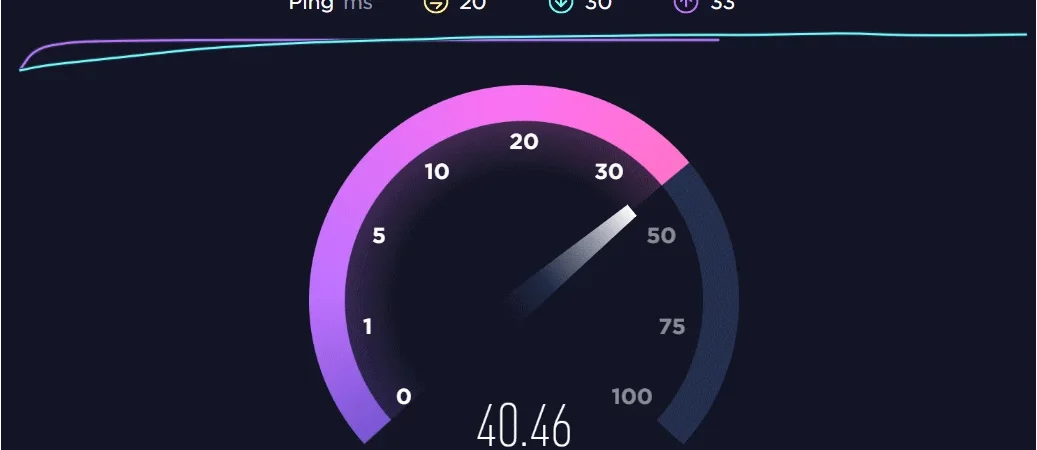
A fast internet connection makes everyday online activities easier, whether you’re streaming videos, joining video meetings, downloading large files, or playing online games. However, the speed advertised by your internet provider does not always match the performance you experience at home or in the office. This is where a cloud speed test becomes useful.
A cloud-based speed measurement tool helps you understand how efficiently your internet connection communicates with online servers. It can reveal download speeds, upload performance, latency, and other factors that influence your browsing experience. By understanding these measurements, you can identify connection problems and make better decisions about your internet service.
Let’s explore how these tools work, what their results mean, and how to use them effectively.
What Is a Cloud Speed Test?
A cloud speed test is an online tool that measures the performance of an internet connection by exchanging data between your device and a remote testing server. Instead of relying entirely on a local network measurement, it uses internet-connected infrastructure to evaluate how quickly information travels between different points.
Most testing platforms measure several important performance indicators:
-
Download speed: How quickly your device receives information from the internet.
-
Upload speed: How quickly your device sends information to online services.
-
Latency: The time required for data to travel between your device and a server.
-
Jitter: Variations in latency that can affect real-time communication.
-
Packet loss: The percentage of data packets that fail to reach their destination.
These measurements provide a broader picture of internet quality than a single speed number.
How Does Cloud-Based Internet Speed Testing Work?
The process is relatively simple from the user’s perspective. You open a testing website or application, select a server if the option is available, and start the measurement.
Behind the scenes, the testing platform performs several operations.
First, it establishes communication with a remote server. The platform then transfers small amounts of test data to estimate connection responsiveness. After that, it transfers larger data samples to calculate download and upload throughput.
The testing software may use multiple simultaneous connections to measure available bandwidth more accurately. Once the process finishes, the results appear on your screen.
Cloud infrastructure makes it possible to run tests using servers in different geographical locations. This is particularly useful when checking whether slow performance comes from your local network, your internet provider, or the route connecting you to a distant service.
Why Should You Check Your Internet Speed?
Internet performance affects more than how quickly a webpage loads. Different online activities depend on different aspects of network quality.
For example, someone downloading large software files may prioritize download speed, while a remote worker who regularly uploads presentations needs reliable upload capacity.
Here are several situations where testing becomes valuable:
1. Identifying Slow Internet Connections
If websites take too long to load or videos constantly buffer, a speed measurement can help determine whether your connection is underperforming.
Compare the results with the speed included in your internet package. Remember that advertised speeds are generally maximum or typical figures, not guaranteed performance at every moment.
2. Improving Video Streaming
Streaming platforms require sufficient bandwidth to deliver high-quality video without interruptions. A connection with inconsistent throughput can cause buffering, reduced resolution, and playback delays.
Testing your connection can help you determine whether your available bandwidth is suitable for your preferred streaming quality.
3. Supporting Remote Work
Video conferencing, cloud storage, virtual desktops, and online collaboration tools depend on stable connectivity.
A connection with good upload speed and low latency can make meetings smoother and file sharing more reliable.
4. Troubleshooting Online Gaming
Online gaming is particularly sensitive to latency, jitter, and packet loss. A high download speed alone does not guarantee a responsive gaming experience.
Checking these additional measurements can help identify why an online game feels delayed even when ordinary browsing works perfectly.
Understanding the Main Speed Test Results
Knowing how to interpret test results is just as important as running the test.
| Performance metric | What it measures | Why it matters |
|---|---|---|
| Download speed | Incoming data transfer rate | Streaming and downloading |
| Upload speed | Outgoing data transfer rate | Video calls and file uploads |
| Ping | Network response time | Gaming and interactive apps |
| Jitter | Variation in response time | Stable voice and video calls |
| Packet loss | Missing data packets | Connection reliability |
Download and upload speeds are commonly displayed in Mbps (megabits per second). Ping and jitter are generally measured in milliseconds.
A lower ping is usually better for responsive applications. Similarly, lower jitter and minimal packet loss generally indicate a more stable connection.
Cloud Speed Test vs. Traditional Speed Test
Although both testing methods aim to measure internet performance, their infrastructure and testing approaches can differ.
A traditional speed test may rely on a nearby testing server, while a cloud-based platform can use distributed infrastructure to evaluate connectivity across different locations.
Neither approach is automatically more accurate in every situation. The quality of the testing software, server capacity, network route, and testing conditions all influence the outcome.
| Feature | Traditional speed test | Cloud-based speed test |
|---|---|---|
| Server selection | Often nearby servers | May offer distributed servers |
| Accessibility | Website or application | Website or cloud platform |
| Performance analysis | Basic to advanced | Basic to advanced |
| Remote infrastructure | Depends on provider | Commonly uses cloud servers |
| Best use | Checking general connection speed | Evaluating connectivity to remote infrastructure |
The most useful option is the one that measures the type of connection you actually want to understand.
How to Get More Accurate Speed Test Results
A speed test is only useful when the testing conditions are reasonably consistent. Several factors can influence the numbers displayed, so it is worth following a few simple practices.
Use a Wired Connection When Possible
Wi-Fi introduces additional variables, including signal strength, interference, and distance from the router. Connecting your computer directly through an Ethernet cable can help you evaluate your internet service more accurately.
Close Background Applications
Applications running downloads, cloud backups, automatic updates, or streaming services can consume bandwidth during testing.
Close unnecessary programs before starting a measurement to reduce interference.
Test at Different Times
Internet performance can change throughout the day. During busy evening hours, shared network capacity may become congested.
Run multiple tests in the morning, afternoon, and evening to identify consistent patterns rather than relying on one result.
Select Different Testing Servers
If the platform allows server selection, compare a nearby server with one located farther away. This can help you understand how geographical distance and network routing affect performance.
Repeat the Measurement
A single result might reflect temporary network conditions. Perform three tests under similar circumstances and compare the results for a more dependable picture.
What Internet Speed Is Good Enough?
The ideal connection depends on how many people use the network and what they do online. A household that mainly browses websites has different requirements from a business that regularly uploads large video files.
Here is a general guide to common internet activities:
| Online activity | Suggested download speed |
|---|---|
| Basic browsing and email | 1–5 Mbps |
| HD video streaming | 5–10 Mbps |
| 4K video streaming | 15–25 Mbps |
| Online gaming | 10–25 Mbps |
| Multiple connected devices | 50–100 Mbps |
| Heavy household usage | 100 Mbps or higher |
These are practical estimates rather than universal minimum requirements. Actual needs depend on the application, video quality, simultaneous users, and network stability.
For example, a family with several people watching videos, attending online classes, and downloading files simultaneously may benefit from a higher-capacity connection.
Common Reasons Your Cloud Speed Test Shows Slow Results
Sometimes the test reports lower speeds than expected, even when your internet subscription promises much more. Several issues could explain the difference.
Weak Wi-Fi signals: Thick walls, long distances, and physical obstructions can reduce wireless performance.
Network congestion: When several devices use the same connection, available bandwidth is shared.
Outdated router equipment: Older routers may struggle with modern internet speeds, particularly on busy wireless networks.
Internet provider limitations: Your ISP may experience temporary congestion, maintenance issues, or technical faults.
VPN connections: A VPN can introduce additional routing and encryption overhead, potentially increasing latency and reducing throughput.
Testing server limitations: An overloaded or distant server may produce lower results than your actual connection can support.
Understanding these factors helps prevent unnecessary changes to your internet package when the real issue is inside your home network.
A Practical Example of Using Speed Test Results
Imagine a small business owner who regularly attends online meetings and sends large design files to clients. Their internet package advertises 100 Mbps download speed, but video calls frequently freeze and file uploads take too long.
They run a cloud-based connection test and discover that download performance is reasonable, but upload speed is considerably lower. The ping also fluctuates during busy periods.
Instead of immediately purchasing a more expensive package, they test the connection through Ethernet, disconnect unused devices, and repeat the measurement at different times.
This helps narrow down whether the issue comes from wireless interference, household bandwidth consumption, or the internet provider.
The important lesson is that internet troubleshooting should focus on the entire performance picture rather than download speed alone.
Choosing a Reliable Cloud Speed Testing Platform
Not every speed measurement website provides the same experience. When choosing a platform, look for a few essential features:
-
Multiple server locations: Useful for comparing local and international connectivity.
-
Download and upload measurements: Both are important for understanding bandwidth.
-
Latency and jitter information: Particularly helpful for gaming and video conferencing.
-
Simple reporting: Results should be easy to understand without technical expertise.
-
Consistent testing methods: Repeated measurements should produce reasonably comparable results.
Popular services such as Ookla Speedtest, Cloudflare Speed Test, and Fast.com offer different approaches to measuring internet performance.
You can compare their results to understand how your connection behaves under different testing conditions. However, remember that different platforms may use different servers and methodologies, so their numbers will not always match.
FAQs
1. What is a cloud speed test used for?
It measures internet connection performance using remote servers. It helps users understand download speed, upload speed, latency, jitter, and other factors that influence online activities.
2. Is a cloud-based speed test accurate?
It can provide useful and reliable measurements when the testing server and network conditions are suitable. However, results may vary depending on Wi-Fi quality, server location, congestion, and background activity.
3. Why is my upload speed lower than my download speed?
Many internet packages offer asymmetric bandwidth, meaning download capacity is higher than upload capacity. This is common with residential broadband connections.
4. How often should I test my internet connection?
Testing whenever you experience performance problems is a good starting point. You can also run periodic checks at different times to monitor consistency.
5. Does Wi-Fi affect speed test results?
Yes. Wireless interference, router placement, signal strength, and connected devices can all affect measured performance. Ethernet generally provides a more controlled testing environment.
6. Can a speed test identify internet provider problems?
It can help identify potential performance issues, but it cannot always determine their exact cause. Comparing wired and wireless results and testing at different times can provide useful evidence when contacting your provider.
Also Read: Pokemon Nicknames Generator: Find Creative Name Ideas
Conclusion
A reliable internet connection is essential for modern digital activities, but advertised bandwidth does not always reflect everyday performance. A cloud speed test provides valuable information about download speed, upload capacity, latency, jitter, and overall connection stability.
By testing regularly, comparing different servers, and understanding the factors behind your results, you can identify potential problems and make informed decisions about your internet service. Rather than focusing on one impressive speed number, pay attention to consistency and real-world performance. That’s what ultimately makes an internet connection dependable.