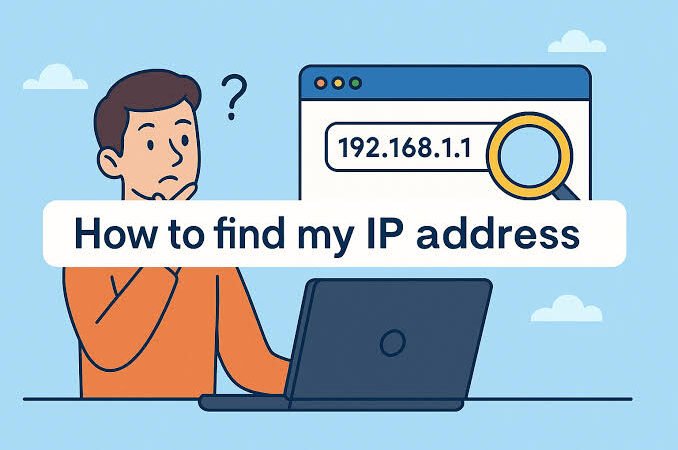
When people search “my IP,” they usually want a quick answer to a simple question: What IP address am I using right now? But there is more to an IP address than a string of numbers displayed on a screen.
An IP address helps devices communicate across networks. Depending on where you look, you may see a public IP, a private IP, an IPv4 address, or an IPv6 address. Understanding the difference can make everyday troubleshooting much easier.
This guide explains what your IP address is, what it can reveal, how to find it, why it changes, and what you should—and should not—worry about when sharing it.
What Does “My IP” Actually Mean?
An IP address, short for Internet Protocol address, is a numerical identifier used for communication on an IP network. When you connect to a website, online service, game server, or another internet resource, IP addressing helps traffic reach the appropriate destination.
The phrase “my IP” can be slightly misleading because a single device can have multiple addresses.
For example, your laptop might have a private address such as 192.168.1.25 inside your home network, while websites see a different public address belonging to your internet connection.
That distinction is one of the most important things to understand when checking an IP.
Public IP vs. Private IP
A public IP address is associated with your internet connection and is the address external websites and online services generally see. Your ISP or network provider supplies the public-facing connectivity.
A private IP address, on the other hand, is used inside a local network. Common private IPv4 ranges include 10.0.0.0/8, 172.16.0.0/12, and 192.168.0.0/16. These ranges are reserved for private networks and are not globally routable on the public internet.
| Feature | Public IP | Private IP |
|---|---|---|
| Main purpose | Internet communication | Local network communication |
| Usually assigned by | ISP/network provider | Router or local DHCP service |
| Visible to websites | Generally yes | No |
| Example | ISP-provided address | 192.168.1.20 |
| Globally routable | Yes, when publicly assigned | No |
| Can change | Yes | Yes |
Your router commonly performs Network Address Translation (NAT), allowing several devices on the same local network to communicate externally while using the connection’s public-facing address.
How Can I Check My Current IP?
The easiest way to check your public IP is to open an IP-checking website in your browser. The address visible to that service is generally the public IP associated with your current internet connection.
You don’t normally need to install software or change any settings. A browser request itself carries network information necessary for the service to identify the connecting address.
If you want to find your private IP, the process is different because that address exists within your local network.
On Windows, you can open Command Prompt and run:
ipconfigLook for the IPv4 Address under the network adapter you are currently using.
On a phone, the private address can usually be found within the connected Wi-Fi network’s details. The exact menu varies by operating system and device manufacturer.
Why Is My IP Different From the One on My Computer?
This is a common source of confusion.
Suppose your computer displays:
192.168.1.15
But an IP-checking service reports another address.
There is no contradiction. The first address belongs to your local network, while the second is the public-facing address used for internet communication.
Your router sits between the two. It handles traffic from devices inside your network and communicates with external services through the internet connection.
This is also why two computers connected to the same home Wi-Fi can have different private IP addresses while appearing to websites as coming from the same public connection.
Why Does My IP Address Change?
Many internet connections use dynamic IP addressing, meaning the address can change over time. Reconnecting equipment, changing networks, renewing a connection, or other provider-side events can result in a different public address.
For example, your home connection might use one public IP today and another after a router restart or service reconnection.
Mobile devices can change addresses even more frequently because cellular networks manage connections differently from typical home broadband networks.
Some businesses and advanced users purchase or configure static IP addresses when they need a more consistent address for services such as remote access, hosting, or business infrastructure.
What Information Can an IP Address Reveal?
An IP address can provide useful network-related information, but it is not a magical identifier containing your entire identity.
IP lookup services may associate an address with information such as:
- Internet service provider or network operator
- Approximate geographic region
- Autonomous system information
- IPv4 or IPv6 details
- Network or hosting organization
The geographic result is generally approximate rather than a guaranteed street-level location. An IP address should not automatically be treated as proof of someone’s exact physical address.
There is another important distinction: an IP can identify a network connection, but that does not necessarily identify the individual person using it.
A Practical Example: Troubleshooting a Home Network
Imagine someone is trying to configure a printer at home. Their computer shows an address beginning with 192.168, while an online IP checker displays a completely different number.
At first, they may think something is wrong.
In reality, both addresses can be correct. The 192.168.x.x address is a private address used inside the home network. The other address is the public-facing address associated with the internet connection.
Once this distinction is understood, troubleshooting becomes much easier. Instead of treating every IP as the same thing, you can ask a more useful question: Which network am I trying to communicate across?
That small change in thinking can save considerable time.
What About IPv4 and IPv6?
You may also notice that your connection has an IPv4 address, an IPv6 address, or both.
IPv4 uses a familiar dotted format, such as:
203.0.113.25
IPv6 uses a much longer hexadecimal format, such as:
2001:db8::1234
IPv6 was developed to provide a vastly larger address space than IPv4. IANA maintains separate registries and specifications for IPv4 and IPv6 addressing.
Don’t be surprised if an IP-checking service shows more than one address. Modern devices and networks can support multiple addressing mechanisms simultaneously.
Does a VPN Change My IP?
Usually, yes—from the perspective of websites you visit.
When you connect through a VPN, websites generally see the VPN server’s public-facing IP rather than the original public address of your internet connection. This can change the apparent network location associated with your browsing session.
However, a VPN does not make you automatically anonymous in every situation. Websites can still use accounts, cookies, browser characteristics, and other signals to recognize activity.
So, think of a VPN as a network-routing and privacy tool, not an invisible cloak.
Can I Safely Share My IP Address?
In ordinary circumstances, knowing a public IP address is not equivalent to knowing someone’s password or account credentials. However, it is still sensible to avoid unnecessarily publishing network information.
If you’re troubleshooting with a technician or network administrator, sharing your public IP may be useful. But never combine IP information with passwords, authentication codes, financial details, or other sensitive credentials.
For home users, the more important security habits remain strong passwords, updated software, secure Wi-Fi configuration, and appropriate firewall settings.
My Experience With IP Troubleshooting
In my experience, many network problems become much easier to diagnose once the difference between a public address and a private address is understood. People often assume the number shown in their computer’s network settings must be the same address that websites see, when NAT frequently makes those two addresses different.
Conclusion
Searching for “my IP” sounds like a straightforward request, but understanding the answer requires knowing what type of IP you’re looking at.
Your public IP identifies your connection from the perspective of the wider internet, while a private IP helps devices communicate within your local network. IPv4 and IPv6 provide different addressing systems, and dynamic connections can cause your public address to change.
The most useful takeaway is simple: an IP address is a network identifier, not a complete identity card. Once you understand where an address comes from and what network it belongs to, IP information becomes much less mysterious—and far more useful for troubleshooting, security, and everyday internet management.
FAQs
What is my IP address?
Your public IP is the address external websites generally see when you connect to them. Your device can also have a separate private IP used within your local network.
Why does my IP address change?
Many ISPs assign dynamic addresses. Your public IP may change after reconnection, equipment changes, or provider-side network events.
Is 192.168.1.1 my public IP?
No. Addresses beginning with 192.168 belong to a private IPv4 range reserved for local networks.
Can someone find my exact home address from my IP?
Generally, an IP lookup provides approximate geographic or network information rather than reliably identifying a precise street address.
Does restarting my router change my IP?
It can, particularly when your ISP uses dynamic addressing, but there is no guarantee that every restart will produce a new public IP.
Is IPv6 also an IP address?
Yes. IPv6 is a newer version of the Internet Protocol designed to provide a much larger address space than IPv4.